
After a tree strike, kitchen fire, or wind-driven roof loss, the contents side of the claim often turns into the slowest part of the file. The structure may be inspected in hours. The personal property can take days of photos, handwritten notes, spreadsheet cleanup, and follow-up calls just to reach a version everyone can review without arguing over what was in the room, what was removed, and what condition it was in.
That’s where contents inventory software changes the job.
Used well, it gives carriers, adjusters, restoration teams, and policyholders one working record instead of four partial ones. Photos, item descriptions, room tags, status updates, packout tracking, valuation notes, and exports live in one system. Used poorly, or connected poorly, it becomes another isolated app that creates more re-entry than relief. That trade-off matters more than most software demos admit.
From Chaos to Clarity What is Contents Inventory Software
A manual contents claim usually starts with good intentions and bad conditions.
Someone walks room to room with a phone. Another person keeps notes. A restoration crew starts moving salvageable items before every serial number is captured. The desk adjuster later receives a folder of images named by timestamp, a partial spreadsheet, and several unanswered questions about what came from which room. None of that means anyone did poor work. It means the workflow was built for survival, not for precision.
What the software actually does
Contents inventory software is the operating system for personal property documentation after a loss. It turns loose evidence into a structured claim record.
Instead of treating photos, notes, and valuations as separate tasks, the platform ties them together at the item level. Each item can carry its own image set, description, room location, status, condition, and reporting history. In practice, that means the file stops being a pile of attachments and starts behaving like a searchable database.
That distinction matters when the claim gets complicated. A field inspector needs speed. A desk adjuster needs consistency. A carrier needs documentation that stands up when a valuation is questioned. A homeowner needs to know the process isn’t disappearing into a black box.
What it replaces
In most claims environments, contents inventory software replaces or reduces:
- Handwritten room-by-room lists that are hard to reconcile later
- Spreadsheet-driven inventories that break as soon as multiple people edit them
- Photo folders without context where images exist but item-level meaning does not
- Verbal chain-of-custody updates that create confusion during packout, cleaning, storage, and packback
Practical rule: If your team still has to ask, “Whose photo is this, what room is it from, and has this item already been logged?” then you don’t have a contents workflow. You have digital clutter.
Why it feels different in the field
The best platforms don’t just digitize paperwork. They reduce friction at the moment evidence is captured.
That’s the key shift. Good software helps the person on site document while working, not document after working. In storm losses, smoke losses, and occupied homes under stress, that difference is the line between a usable file and a backlog.
For adjusters, the appeal isn’t flashy technology. It’s control. The software creates one version of the contents story, and that makes every later decision easier to defend.
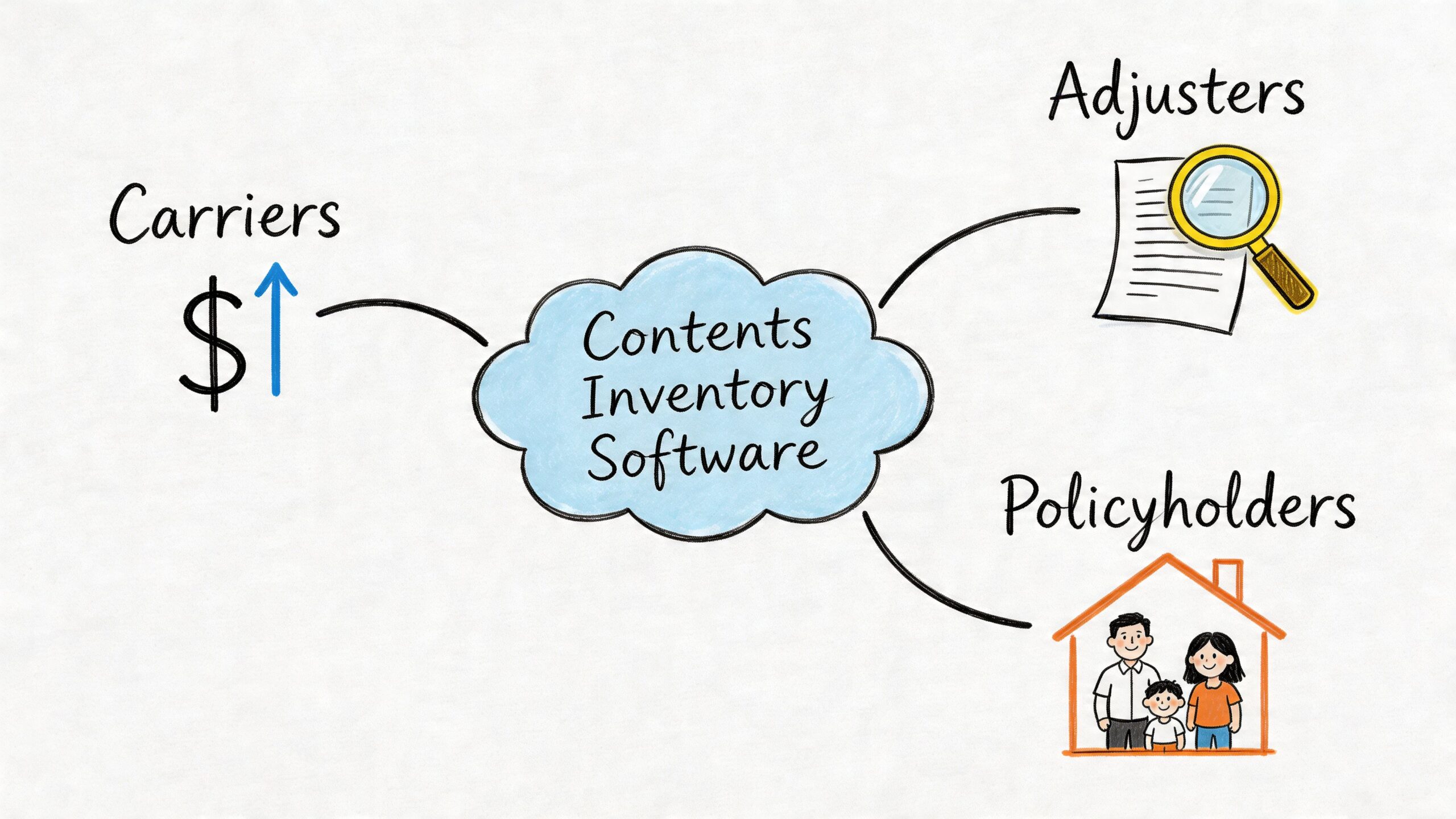
Why Top Carriers and Adjusters Adopt This Technology
Carriers don’t adopt contents inventory software because it’s modern. They adopt it because the old process burns time in places no one can bill cleanly. Adjusters don’t adopt it because they want another app. They adopt it because the right platform removes repetitive tasks that add no judgment value.
Early in the claim, this software creates speed. Later in the claim, it creates fewer disputes. That combination is why serious claims organizations keep moving toward digital contents workflows.
What carriers gain
At the carrier level, the biggest benefit is process compression without losing documentation quality.
Advanced platforms such as ContentsTrack and Enservio combine real-time status tracking, multi-user collaboration, and automated exports, which helps streamline chain-of-custody documentation and can reduce large-loss claim cycles by up to 70% through less back-and-forth with policyholders, according to Verisk’s ContentsTrack overview. That’s not a small administrative improvement. It changes how long a file stays open and how much labor gets consumed while it sits.
The practical carrier-side gains usually show up in four places:
- Cleaner file handling: Teams stop chasing missing item notes across text messages, email threads, and shared drives.
- More defensible decisions: Photo-tied item records make it easier to explain why something was cleaned, replaced, questioned, or stored.
- Better oversight: Supervisors can review progress by item status instead of waiting for a static report at the end.
- Less policyholder fatigue: Fewer repeated requests for the same information lowers friction during an already stressful event.
Some carriers also look beyond contents. They want field documentation that supports protective measures, site conditions, and property stabilization decisions. That broader workflow mindset is why many claims teams also look at tools and field resources tied to protection from the largest producer in North America when they evaluate end-to-end post-loss operations.
What adjusters gain
The adjuster’s benefit is more immediate. Manual entry shrinks.
When a platform captures item details in a structured way at the time of inspection, the adjuster spends less time retyping, renaming, sorting, and reconciling. That doesn’t eliminate judgment. It removes clerical drag so judgment can happen sooner and with better evidence.
A strong contents platform also improves file defensibility. If the insured disputes an item count or a handling decision, the adjuster isn’t relying on memory or a loosely labeled image folder. The file contains item-level support.
The best contents files don’t look impressive because they’re long. They look strong because every item has context.
What homeowners notice
Policyholders don’t usually care what software is being used. They care whether the process feels organized.
A good contents workflow gives them a clearer experience:
| What the homeowner experiences | What the software is doing behind the scenes |
|---|---|
| Fewer repeated questions | Centralizing item records and prior entries |
| Clearer status updates | Tracking contents through defined workflow states |
| Faster review of losses | Producing organized, claim-ready exports |
| Less confusion during packout | Preserving chain of custody and room-level context |
That matters in catastrophe and large-loss work. People are trying to make decisions about temporary living, salvage, access, and cleanup while also answering claim questions. The software can’t reduce the emotional weight of the event, but it can remove avoidable administrative friction.
What doesn’t work
Adoption fails when teams buy for features and ignore workflow fit.
A polished demo means very little if field users won’t trust it under time pressure, or if desk teams still have to rebuild the claim in another system. The software only earns its place when it shortens the path from site visit to reviewed settlement.
Deconstructing the Modern Contents Inventory Platform
A modern platform isn’t one feature. It’s a stack of connected functions that has to work in rough conditions, with multiple users, under claim deadlines. If one part is weak, the whole process slows down.
The easiest way to evaluate contents inventory software is to break it into five working layers: capture, structure, valuation support, collaboration, and integration.
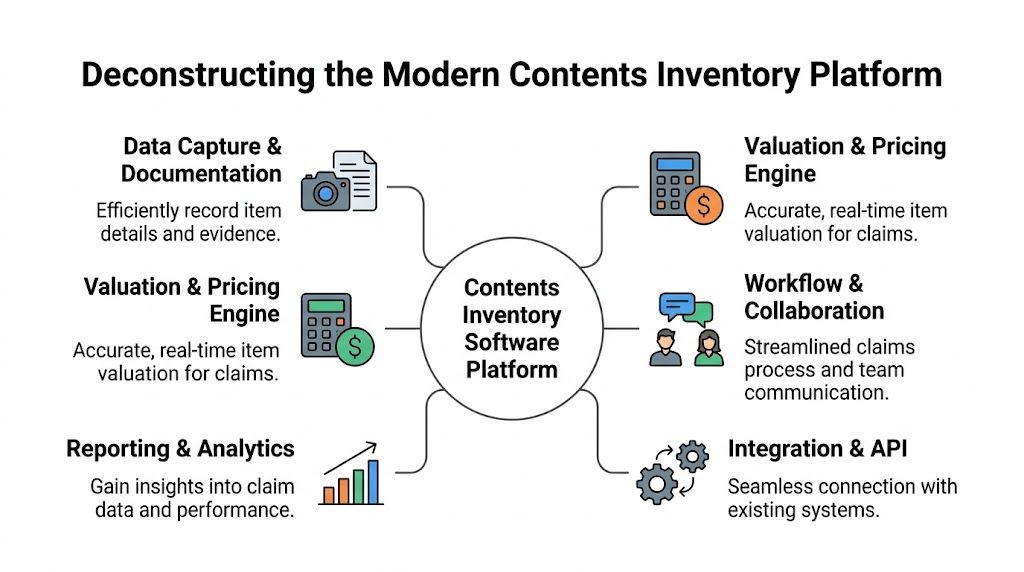
Capture has to be fast enough for the field
The first test is simple. Can the platform keep up with a person moving through a damaged property?
Platforms such as Encircle and iCat use AI-powered object recognition and automated description generation to reduce manual data entry during packouts, helping field teams complete inventories 50% faster with a snap-and-go workflow, as described on Encircle’s contents solution page. That speed matters because every extra tap at the point of capture creates skipped items, vague labels, or delayed entry later.
The practical value isn’t just the photo. It’s what the software does after the photo is taken. Systems that can extract item descriptions, brand names, and model numbers from a single image cut down on thumb-typing and reduce the variation you get when multiple technicians describe similar items in different ways.
Structure prevents missed items
Good capture without structure still produces a messy claim.
That’s why room-based workflows matter. The better platforms let teams document contents by room, area, or zone, then attach images, notes, and statuses directly to those locations. That sounds basic, but it prevents one of the most common claim problems: good documentation with no reliable map back to where the item belonged.
A practical room structure usually includes:
- Room tags: Bedroom 2, garage workbench, basement utility area
- Item categories: Electronics, soft goods, furniture, appliances
- Condition markers: Damaged, salvageable, questionable, non-salvage
- Handling status: Packed, cleaned, stored, returned, awaiting review
Without that structure, every later handoff gets harder.
Valuation support should help judgment, not replace it
A contents platform isn’t the adjuster. It shouldn’t pretend to be.
What it should do is make valuation work cleaner. If item descriptions are standardized and attached to photo support, the estimating and valuation process starts from better data. If cleaning-related or handling-related information is tied to each record, estimators can move faster with less guesswork.
That’s especially useful when multiple teams touch the file. The field team captures. The desk adjuster reviews. The estimator builds out the financial side. The software works best when each person inherits organized evidence instead of rebuilding context from scratch.
Field note: The most reliable valuation process starts with disciplined capture. Bad intake creates expensive review later.
Collaboration has to survive real claim conditions
A modern platform should assume that more than one person will work the file.
In practice, that means simultaneous users, merged data, and status visibility. One user may be in a basement with poor signal. Another may be reviewing a different floor. A desk adjuster may need access before the site team has finished the full property.
That’s why mobile performance and offline capability aren’t bonus features. They’re operating requirements. In basements, rural storm sites, and damaged structures, teams often lose connectivity. Software that stops working offline forces people back to notes, duplicate photos, and memory-based catch-up.
For field teams documenting remote or low-light conditions, claims operations often think more broadly about capture quality too, including gear and workflows related to tools like this security camera with AI face vehicle detection starlight night because image clarity and event traceability affect downstream review.
Integration is where many deployments succeed or fail
The platform can be excellent on site and still disappoint the claims organization if it doesn’t move data cleanly into core systems.
That includes estimating environments, report exports, carrier review platforms, and any downstream storage or audit process. In real life, a contents inventory doesn’t live alone. It feeds the rest of the claim.
Here’s the practical test:
| Platform capability | Why it matters operationally |
|---|---|
| Exportable item data | Prevents rebuilding inventories in a second system |
| Standardized descriptions | Makes review faster and reduces category drift |
| Multi-user sync | Avoids duplicate entries from parallel field work |
| Offline queue and later sync | Keeps field work moving in low-connectivity zones |
| Audit trail by item | Supports disputes, QA, and settlement review |
If a vendor can’t show how the file leaves their system and lands cleanly in yours, the demo isn’t finished.
Choosing the Right Software for Your Claims Workflow
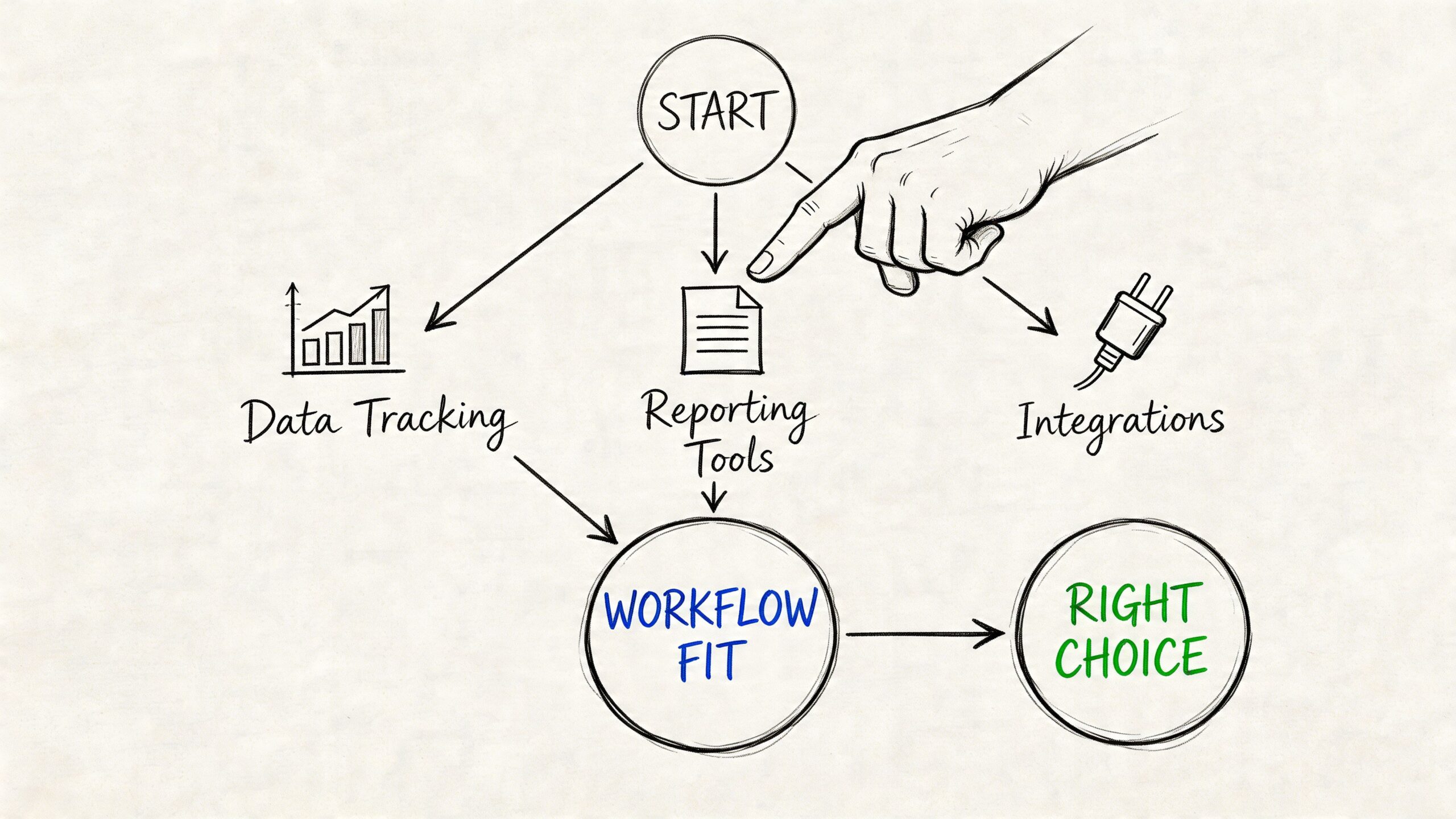
Most software selections go wrong before procurement signs anything. The team asks, “Which platform has the most features?” when the better question is, “Which platform fits the way our claims move?”
A carrier handling large storm volumes has different needs than an independent adjusting firm, and both differ from a restoration vendor managing packout and storage. The right contents inventory software is the one that removes friction from your specific handoffs.
Start with your claim path, not the feature sheet
Map the actual claim journey before you compare vendors.
Who captures the first inventory. Who reviews it. Who updates status after packout. Who needs exportable data. Who communicates with the insured. Who closes the loop on replacement, cleaning, or non-salvage decisions. That map exposes what matters.
A useful buying sequence looks like this:
- Document the current workflow. Include the messy parts, not the idealized SOP.
- List every handoff. Field to desk, desk to restoration, restoration back to carrier.
- Mark every re-entry point. If anyone has to type the same item twice, flag it.
- Test the software against those friction points. Don’t let the demo stay abstract.
Evaluate with operational criteria
The strongest buying decisions usually come from a short list of essential requirements.
Security and data handling
Contents claims contain sensitive household information. Vendors need to explain how they manage access, user roles, image storage, and record retention. If the answer is vague, move on.
Offline field performance
If your teams work storm sites, basements, rural properties, or buildings with power loss, offline operation matters. Don’t settle for “limited offline support” without seeing exactly what can be captured, queued, edited, and synced later.
Ease of use under stress
The end user may be a field inspector in PPE, a restoration tech moving quickly, a desk adjuster triaging multiple files, or a homeowner trying to identify damaged belongings after a severe event. Clean screens beat crowded screens.
Export flexibility
Some organizations live inside one estimating ecosystem. Others don’t. Either way, the software should make outbound data practical, not painful.
Compare workflows, not brands
A simple side-by-side can help separate marketing from fit.
| Evaluation question | Strong answer | Weak answer |
|---|---|---|
| Can users inventory simultaneously? | Yes, with merged records and visible statuses | “Users can share a file” |
| What happens offline? | Full capture continues, then syncs later | “Try again when signal returns” |
| How does data export? | Structured output with item detail | PDF only |
| How are exceptions handled? | Items can be flagged, reviewed, and reassigned | Notes field only |
| What training is required? | Role-based onboarding for field and desk teams | Generic webinar |
Look hard at vendor support
Implementation support often matters more than the software itself.
You want to know how the vendor handles workflow mapping, pilot feedback, field retraining, failed syncs, duplicate item issues, and export troubleshooting. Claims operations are messy. If the vendor only shines during sales calls, you’ll feel it during the first severe weather event.
For some organizations, procurement also includes the practical realities of field kits and support gear. Even a simple item like a hanging scale with 110lb 50kg capacity LCD display CR2032 battery can become relevant when teams are documenting packout loads, specialty items, or storage handoffs. The software choice should support those realities, not ignore them.
Pricing should be the last filter, not the first
The cheapest platform can be the most expensive if it adds rework.
A fair evaluation looks beyond subscription cost. Consider training burden, export limitations, implementation complexity, support responsiveness, and the cost of maintaining two systems because the first one never became your actual system of record.
If the software doesn’t fit the claim path, low pricing won’t save it.
A Practical Roadmap for Rolling Out Contents Software
Implementation goes wrong when teams treat it like an app install. It’s an operational change. The software touches inspection, documentation, estimating, communication, storage decisions, and file review. Rollout needs the same discipline you’d give any claims process redesign.
Phase one plan the workflow before the pilot
Start with a small project team from field operations, desk adjusting, estimating, and IT or systems support.
Define what the software must accomplish in your environment. Not broad goals like “go digital.” Specific outcomes such as cleaner room tagging, fewer duplicate item records, faster desk review, more reliable chain-of-custody tracking, and fewer requests back to the insured for missing documentation.
Build your first workflow around one claim type. Water, fire, or storm. Don’t launch across every loss scenario at once.
Phase two train by role
Field users and desk users shouldn’t get the same training.
Field teams need practice in live capture, room sequencing, offline behavior, image quality, and exception handling. Desk teams need practice in review, status management, item reconciliation, export checks, and communicating from the system record instead of from side notes.
A short role-based approach works better than a long generic session:
- Field module: Capture, tag, sync, verify
- Desk module: Review, approve, flag, export
- Supervisor module: Audit, track status, coach for consistency
A rollout succeeds when users know what to do at the point of friction, not when they’ve watched every feature in a webinar.
Phase three launch with a controlled pilot
Choose a pilot group that will give honest feedback. Don’t stack the pilot with only your most tech-comfortable users.
During the pilot, track qualitative issues aggressively. Where did users hesitate. Which screens caused duplicate work. Which exports needed cleanup. Which claim scenarios broke the workflow. The goal isn’t to prove the software works. The goal is to find out where it doesn’t.
Field teams often need practical accessories dialed in during this stage too. Mounting devices, securing cameras, and setting up a stable capture routine matters more than most office-side teams expect. Even simple gear such as 3M sticky mounts for GoPro HERO 13 12 11 10 more flat curved can affect whether documentation workflows are smooth or improvised.
Phase four optimize after first use
After the pilot, revise the workflow before full rollout.
You may need to shorten required fields, change room templates, tighten naming conventions, or formalize how exceptions are escalated. That refinement is normal. Good claims operations aren’t built by pretending the first version was perfect.
A sample day-in-the-life item workflow
Here’s what a clean digital path looks like for one item in a storm-damaged home:
- Capture on site. A field user photographs a water-damaged television in the den and attaches it to the correct room.
- Create the item record. The system stores the image, description, and initial condition within one entry.
- Assign handling status. The item is marked for review or replacement consideration.
- Sync for desk review. Once connectivity returns, the desk adjuster sees the same item record without waiting for emailed photos.
- Review and comment. The adjuster checks supporting images, notes, and status history.
- Include in claim reporting. The item flows into the file’s documented contents package and supports the broader settlement discussion.
That’s the point of rollout discipline. One item should move through the claim without being rebuilt by each person who touches it.
Avoiding Costly Mistakes in Your Contents Inventory Strategy
The biggest mistake isn’t choosing old methods over new software. It’s choosing software that solves one task while breaking the full claim workflow.
That happens all the time. A platform looks efficient in the field, but the desk team still has to re-enter data into the estimating environment or claims platform. The organization ends up with two systems, two naming conventions, and one more bottleneck than it started with.
Mistake one treating integration as a later problem
This is the overlooked issue in the category.
An underserved angle in contents inventory software is its integration challenge with existing claims management systems, and poor interoperability can extend claim cycles by 20-30%, despite standalone software efficiencies, according to Enservio’s contents inventory page. That’s why “Does it work?” is the wrong first question. The better one is, “Where does the data go next, and what breaks on the way there?”
Ask vendors to walk through the entire handoff:
- From field capture to desk review
- From item record to estimate support
- From platform export to claim file
- From packout status to final settlement documentation
If they can’t demonstrate that path cleanly, the efficiency claim is incomplete.
Mistake two underestimating training
Teams often assume a simple interface means training won’t matter. It will.
The field user needs to know how to document in sequence. The desk reviewer needs to know how to manage exceptions. Supervisors need to know how to audit consistency. Without that, the file degrades quickly and the team blames the software for user variance.
Mistake three buying without offline proof
A lot of platforms say they support mobile work. Fewer support field reality.
If your users inspect basements, detached structures, mountain properties, or neighborhoods with disrupted service after storms, test offline behavior directly. Create records without signal. Edit them. Queue images. Reconnect later. Verify what syncs and what fails.
Mistake four measuring ROI too narrowly
Some buyers focus only on license cost and miss the larger operational leak.
If the software reduces field drag but increases desk cleanup, you haven’t saved anything. If it captures faster but exports poorly, the hidden cost just moved downstream. If it improves documentation but no one adopts it consistently, the projected value never becomes real.
A broader ROI conversation should include claim cycle impact, adjuster rework, dispute reduction, documentation quality, and the amount of avoidable manual reconciliation left in the process.
Most contents platforms don’t fail because their features are weak. They fail because the workflow around them was never finished.
Operational supplies matter here too. When teams are still pushing paper packets, mailing backup documents, or improvising chain-of-custody labeling, physical process gaps show up fast. Something as ordinary as grey plastic mailing bags postal sacks small medium large reflects the reality that claims operations are still part digital, part physical. Your software strategy should account for both.
Frequently Asked Questions About Contents Inventory Software
Can homeowners use contents inventory software too
Yes, in some workflows they can contribute, but the best results usually come from guided collaboration rather than asking the policyholder to build the claim file alone.
A homeowner can help identify items, confirm room locations, add context about age or ownership, and review missing entries. The adjuster or restoration team should still control structure, documentation standards, and final claim handling. That keeps the record usable and consistent.
How should the software handle high-value items like jewelry, art, or antiques
These items shouldn’t disappear into the same workflow as ordinary household goods.
A good process flags them early, attaches stronger photo documentation, and routes them for added review. The software should support notes, image sets, and exception tracking so the claim team can separate standard inventory handling from specialty evaluation. The goal is visibility and control, not forcing a complex item through a generic template.
Why not just use a photo app or shared folder
Because a photo app stores images. It doesn’t create a claim record.
A dedicated contents platform ties each image to an item, room, status, and workflow history. It supports collaboration, review, export, and chain of custody. Shared folders are useful for storage. They’re weak for claims operations because they don’t preserve structure well enough for consistent handling at scale.
Is this technology optional now
For low-complexity losses, some teams can still get by with manual methods.
For larger losses, packouts, multi-user field work, or catastrophe conditions, it’s becoming hard to justify staying manual. The issue isn’t whether digital tools are fashionable. It’s whether your team can move from site documentation to defensible settlement without creating avoidable friction.
When contents claims get messy, Fox Claims Consultants LLC helps bring order back to the file with fast field response, thorough documentation, and reliable support for difficult property inspections. If you need a national property inspection partner for storm damage, steep roof access, ladder assist, emergency tarping, or end-to-end field reporting, connect with Fox Claims Consultants LLC.
Leave a Reply